Payment Methods

Thank you for choosing Sexdollsoff! Shop confidently on our website, knowing that we prioritize the security of your payment information. We’ve implemented robust measures to safeguard your transactions. When purchasing Sexdollsoff, you’ll have access to a range of secure payment methods. If you encounter any issues with your payment, please don’t hesitate to email us(sales@sexdollsoff.com) for assistance.

Our secure online store accepts payments by:
1.Credit Card(Visa,Mastercard,American Express,UnionPay,JCB,Discover,Diners Club)
2. PayPal
3. Apple Pay
4. Afterpay
5.Google Pay
6.Klarna
7.Sexdollsoff Layaway/Multi-Card/Split Payment (No Interest, No Hidden Fee)

Credit/Debit Cards

You can pay with a credit card directly. We accept Visa,Mastercard,American Express,UnionPay,JCB

Due to the high unit price of our products, your credit card is restricted from making large transactions, so you may receive a transaction risk warning from the bank during the transaction. If your payment is declined, call your bank to let the transaction be allowed. If you still can’t make the payment, select PayPal invoice.

Select “Credit/Debit Card”, then fill in your card details.

If payment failed, you could try the following methods to complete your purchase:
•Call your bank to approve your payment.
•Call your bank to increase your Credit Card limit.
•Check with your bank if your card can accept International Payment.

Credit Debit Cards

PayPal &PayPal Later

We offer various PayPal payment options:

1. Credit Card & Debit Card via PayPal (Without PayPal Account)

You can pay with Credit Card & Debit Card through PayPal “Pay with Debit or Credit Card” option directly if you do it without a PayPal account.

With PayPal Account

2. PayPal Payment (With PayPal Account)

Through PayPal, we accept MasterCard, VISA, American Express, Discover & Diners, and bank transfers. No Paypal Account is Required when you pay through PayPal. If you have a PayPal account, you can pay directly with the balance in your account.

Without PayPal Account

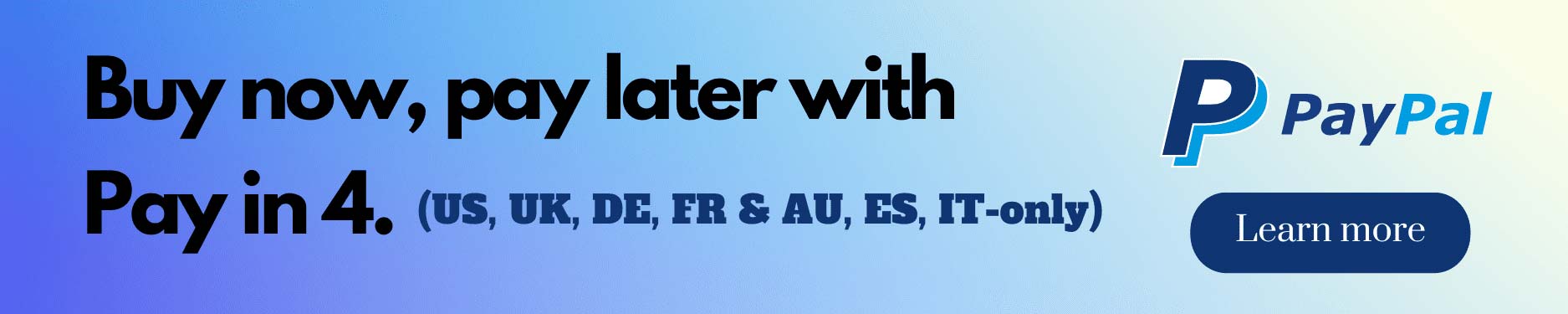
Buy Now Pay Later with PayPal (US, UK, DE, FR & AU Only)
We have partnered with PayPal to provide you with more flexible payment options. You can choose to split your order into 4 payments, so you only need to pay the first payment at the checkout, the remaining 3 payments need to be paid on time according to the installment plan.

What’s PayPal Pay in 4?
Pay in 4 is a feature that lets you split your purchase into 4 payments, with the down payment due at the time of the transaction, and make the remaining 3 payments in the app or online, once every two weeks.

PayPal installment

Will I be able to use PayPal Pay in 4?
PayPal is offering Pay in 4 to US, UK, DE, FR, AU, ES & IT customers now. You must be at least 18 years of age (or the age of majority in your state) to apply. You must also have a PayPal account in good standing or open a PayPal account in order to apply.

PayPal installment (2)

Will I be able to use PayPal Pay in 4?
PayPal is offering Pay in 4 to US, UK, DE, FR, AU, ES & IT customers now. You must be at least 18 years of age (or the age of majority in your state) to apply. You must also have a PayPal account in good standing or open a PayPal account in order to apply.

If you choose Pay in 4 as your payment method when you check out with PayPal, you will be taken through the application process. You will get a decision instantly but not everyone will be approved based on our internal checks.

What purchase amounts qualify for Pay in 4?

Enjoy the Power to Pay Later
It’s interest-free: Make 4 interest-free payments with Pay in 4.
Get a decision in seconds: There’s no impact on your credit score – you won’t have to wait long to see if you’re approved.
It’s backed by PayPal: Get the same security and Purchase Protection you already enjoy from PayPal.

Safe and Secure.
PayPal uses the latest safeguards and security to protect your information and prevent unauthorized purchases.

PayPal Pay Later
This convenient option allows you to make purchases now and pay for them in installments over time. Split your purchase into four equal payments, with the first payment due at checkout. No additional fees or interest charges apply as long as payments are made on time.

PayPal Credit
With PayPal Credit, enjoy a revolving credit line to make purchases and pay them off gradually. Similar to a traditional credit card, it offers flexibility in choosing monthly payments. PayPal Credit also provides promotional financing options, such as interest-free periods, for qualifying purchases.

Click here to learn about using PayPal and how to apply for PayPal Pay Later and PayPal Credit.

We offer various PayPal payment options:

PayPal Direct Checkout
If you have a PayPal account, log in and pay using PayPal Balance, Credit or Debit Card, or Bank Account. If you don’t have a PayPal account, select Debit or Credit Card under PayPal and proceed to checkout securely.

PayPal Pay Later
This convenient option allows you to make purchases now and pay for them in installments over time. Split your purchase into four equal payments, with the first payment due at checkout. No additional fees or interest charges apply as long as payments are made on time.

PayPal Credit
With PayPal Credit, enjoy a revolving credit line to make purchases and pay them off gradually. Similar to a traditional credit card, it offers flexibility in choosing monthly payments. PayPal Credit also provides promotional financing options, such as interest-free periods, for qualifying purchases.

Click here to learn about using PayPal and how to apply for PayPal Pay Later and PayPal Credit.

PayPal Invoice

If your online payment using PayPal or credit card fails, you can choose to use PayPal Invoice. We will send the PayPal Invoice to your email address.

To use a PayPal invoice, follow these steps:

Please submit an order by clicking PayPal invoice. You will receive a PayPal invoice later by email named sdf-shop.

1. Check your email inbox for the PayPal invoice that we sent to you (from SDF SHOP).
2. Open the email and click the “Pay Now” button in the invoice.
3. If you have a PayPal account, log in to your account to complete the payment. If you do not have a PayPal account, select “Pay with Debit or Credit Card” and enter your payment information.
4. Review your payment details and click “Pay Now” to complete the payment.Partial payment is always allowed.
5.Once we receive your payment, we will send you an order confirmation.

PayPal Invoice

Apple Pay

Apple Pay allows users to make one-click purchases on websites, mobile apps and other sales channels using a bank card linked to a Wallet on their Apple device.

How to pay with Apple Pay?

1. Buy a product using iPhone, MacBook or another Apple device;
2. After placing an order, the customer chooses Apple Pay contactless payment method to proceed with the payment;
3. You can confirms the payment with a fingerprint, Face ID, or password.

google pay

Klarna

We’ve partnered with Klarna to provide you with easy payment options at checkout, so you can buy what you want, when you want. Select Klarna at checkout to buy now and pay later. Spread the cost of your purchase over time with convenient, stress­-free payment options. It is easy, safe to use.

Klarna is only available for US & EU customers currently.

Payment Plan Details
We use a secure third-party service called Klarna to facilitate payment plans.
We begin building your order as soon as it is placed, your doll will be shipped like any other order.
24 hour cancelation policy after order is placed.
Klarna credit accounts are subject to credit approval, and terms.Accounts are issued by WebBank, member FDIC.

Rate ranges from 0%-29.99% APR based on creditworthiness and subject to credit approval, resulting in, for example, 6 equal monthly payments of $333 to $362 per $2,000 borrowed. Minimum purchase of $149 required. 0% APR financing only available to qualified customers with excellent credit history. A down payment may be required. Estimation of monthly payment excludes potential tax and shipping costs. Monthly financing through Klarna issued by WebBank, member FDIC. See terms.

How to checkout with Klarna
Add item(s) to your cart and select Klarna at checkout.
Complete your Klarna Credit application.
Use the Klarna App or log in on klarna.com to make your monthly payments.

Klarna

You choose how to pay:

Monthly Financing
Apply for easy monthly financing directly in the checkout. A simple, 2-step application will provide an instant approval decision. Once you’ve been approved, you’ll receive reminders and can manage your payments directly in the Klarna App.

Making payments
Review your latest purchases and pay any open balances by logging into your Klarna account at (https://app.klarna.com/login),You can also chat with Klarna Customer Service 24/7 in the Klarna App.

About Klarna
Klarna is one of Europe’s fastest growing companies and a leading alternative payment provider. Klarna’s vision is to make all payments ‘smoooth’, adding value for shoppers and retailers with unique payment options and superior customer experience.

Klarna has 2,500 employees across 17 countries, and is leading the way for alternative payments by serving 85 million consumers and 205,000 merchants smoooth payment solutions.

How It Works:
Step 1 Add products to your cart and select “Klarna” when you check out.

Step 2 Enter a few personal details and you’ll know instantly if you’re approved.

Step 3 Klarna will send you an email confirmation and reminders when it’s time to pay.

Step 4 You can complete your future Klarna purchases with just one click.

Klarna

Payment Methods of Klarna

1. Pay In 4 Interest-Free Instalment

Split your purchase into 4 interest-free payments. Choose pay in 4, and pay just 25% upfront. Make 1 interest-free payment every 2 weeks. No impact on your credit and no interest or fees when you pay on time.

Pay In 4 Interest-Free Instalment

2. Pay In 30 Days

With pay in 30 days, you’ll get a free payment delay that allows you to pay for your order within 30 days at your convenience. No upfront payment, no interest, and no fees when you pay on time.

Pay In 30 Days

3. Monthly Financing

Klarna’s Monthly financing option, you just select to pay later with financing and choose the term lengths that are best for you. A simple application will provide an instant decision for you. Once you’ve been approved, you’ll receive reminders and can manage your payments directly in the Klarna app.

Monthly Financing

Afterpay | Buy Now, Pay Later

Afterpay -Shop Now_Pay_Later

Shopping just got a whole lot more fun (and easier too)!
With Afterpay, you can shop now and pay in four easy instalments.
Treat yourself today and pay over time, interest-free. No new credit cards, no lengthy forms — it’s quick and simple.HERE’S HOW IT WORKS:

afterpay payment

How to pay with Afterpay?

1. Select “Afterpay” at checkout;
2. After clicking “Pay now”, you will be redirected to Afterpay to log in or create an account;
3. Confirm the amount you want to pay, make sure the correct card is selected, and submit the payment. Then pay the remaining balance in scheduled interest-free installments.

How_to_use_Afterpay_1024x1024

There are a few things that you can double check if your order is being declined:

•Double check how much money you have in your bank account. You must have 25% of the purchase price available on your card for your order to be approved. For example, a $100 order would require $25 to be in your account.

•Is your card working as expected? Make sure to check that your card is active and unrestricted. If your bank has blocked your card, your order will not go through and Afterpay cannot override this! When in doubt, reach out to your bank to make sure.

Sexdollsoff Layaway/Multi-Card/Split Payment (No Interest, No Hidden Fee)

We offer you an interest-free layaway payment option.

What’s the benefit?
You can lock in current promo prices or special offers now while it lasts, and pay over a period of time for your doll.
You can pay your balance using any major credit/debit card, or PayPal.

Layaway Order Terms:

●No credit check.
●Upon initiating the layaway order, please make a $200 down payment via PayPal invoice or Credit Card.
●Layaway orders must be settled within 3 months of creation. You can make multiple payments during this period (minimum $100 per payment), but at least one payment must be made each month. The layaway balance must be fully paid off within the 90-day timeframe.

●Once your layaway order reaches 50% payment, it will be processed for production. Upon full payment of your layaway, we will proceed to ship your order and provide you with a tracking number via email.

●If a customer cancels a Layaway Order, customers will incur a non-refundable 30% cancellation fee, with a minimum charge of $100. This fee is implemented to cover the expenses related to processing and maintaining the Layaway Order.

layway

Step-by-Step Guide: How to Use Sexdollsoff Layaway Plan

1.Select the Installment Payment Option

When placing your order, choose the “Installment Payment/Payment Plan” option at checkout.

Installment Payment

2.Pay Deposit $200
Option 1: Pay directly via PayPal.(you will be redirected to PayPal to complete your purchase securely. The credit card also works here (pay directly, no PayPal account).
Option 2: Choose “PayPal Invoice,” and we will send the invoice to your email. Please make sure to check your inbox promptly.

Deposit Payment (2)

3.Confirmation Email
After payment, you will receive a confirmation email detailing the transaction.

4.How to Pay the Balance
You can pay the balance through this link:https://www.sexdollsoff.com/layaway_plan/. Also, we can send you PayPal invoices to pay the balance.

NOTE: We will update the current balance of your order by email each time.

5.Final Payment and Shipment
Once all payments are completed, we will confirm your final payment via email and prepare your order for shipment.
If you have any questions about the process or require assistance, feel free to contact us at any time!

How Do We Keep Your Payment Secure?

1. We utilize a trusted and secure payment gateway certified by PCI DSS (Payment Card Industry Data Security Standard). This guarantees that all payment transactions are encrypted and safeguarded against unauthorized access.

2. Sexdollsoff.com is equipped with a Secure Sockets Layer (SSL) certificate, a security protocol that encrypts the data exchanged between the web server and your browser. This ensures that your personal and financial information is transmitted securely.

3. Ensuring data privacy is our top priority, and we are committed to always safeguarding your personal information.

When purchasing Sexdollsoff.com, you will have access to various secure payment methods. If you encounter any payment issues, please don’t hesitate to email us (sales@sexdollsoff.com)for assistance.

Resolving Payment Errors

I failed to pay with PayPal?

1: Based on experience, PayPal may have a transaction limit. Please check this with PayPal.

2: According to PayPal rules, the shipping address and the billing address need to be in the same country, otherwise the payment will not be allowed.

If so, please fill in the shipping address the same as the billing address when you place the order and email sales@sexdollsoff.com to tell us the correct shipping address. We will change this for you.

3: If the above is not working, we highly suggest trying with Credit Card (Visa, MasterCard, JCB, American Express).

I failed to pay with my Credit Card?

1: Make sure all information is correct including credit card number, expiration date, CVV code, and billing address.

2: Make sure you have enough credit or account balance.

3: Check whether your card is authorized or the default online transaction limit is too low.

4: Try refreshing the page, or logging completely out and then logging back in.

5: Start over with a new order instead of trying to pay for the same order over again.

6: If your payment is still declined, you may need to contact your bank.

As default in all Credit Card banks, part of their security, they block international transactions/payments. Unless the cardholder requests to unblock their secured method.

7: Try using a different card.

8: You can also pay through PayPal with your Credit or debit card as “a guest” It is very safe and easy

9: Try using PayPal if you have a PayPal account.


Note: You should be able to receive details of any failed or successful transactions from your bank. If the payment fails, do not hesitate to contact  your bank or contact us.